
Booking software for charters, guides and outfitters.
Online booking on a page of your own website, manifests and check-in from the dock, waivers, payments and affiliates in one system. Free for operators.

OutwardOps is booking and operations software for fishing charters, guides, outfitters and outdoor tour companies. Guests book and pay on a booking page at a subdomain of your own website; your crew works from manifests and check-in; affiliates book through their own portal. It costs operators nothing: guests pay a 6% convenience fee on online bookings.
Can guests book on my own website?
Yes. Guests book on a booking page on a subdomain of your own website (e.g. book.yourcompany.com), not in a vendor pop-up. Each trip has a server-rendered page with schema.org markup, a sitemap and your booking address as the canonical URL, so search engines can read it.
What does it cost?
Nothing for the operator. Guests pay a 6% convenience fee on online bookings. Bookings your staff take and affiliate bookings billed by invoice carry no guest fee. The calculator shows what a guest pays and what you receive.
Does it work on the dock?
Each departure has a manifest you can check guests in from, or download as a CSV. Boats and other resources are assigned to departures on a dispatch board. Per-person charges such as a halibut stamp show as their own line on the booking.
The staff app for iPhone and Android checks guests in by QR code, even without signal. It is coming to the App Store and Google Play.
Can I move from FareHarbor without retyping everything?
Yes. We move your FareHarbor setup for you: items, prices, custom fields, affiliates, booking flows and photos. Past bookings and customer lists are not part of the move yet.
Do you handle affiliates and resellers?
Yes. Affiliates book through their own portal at the prices you set for them, and you bill them by invoice, with a PDF for each invoice.
Can guests pay a deposit and the rest later?
Yes. Take a deposit at booking and the balance is charged to the saved card a set number of days before the trip; if that charge fails, the guest gets a pay link by email. Guests can add a tip at checkout.
Are waivers included?
Yes. Guests sign online from a link after they book, with a guardian section for minors, and each signed waiver is kept as a PDF. The manifest shows who has signed.
What does it look like?
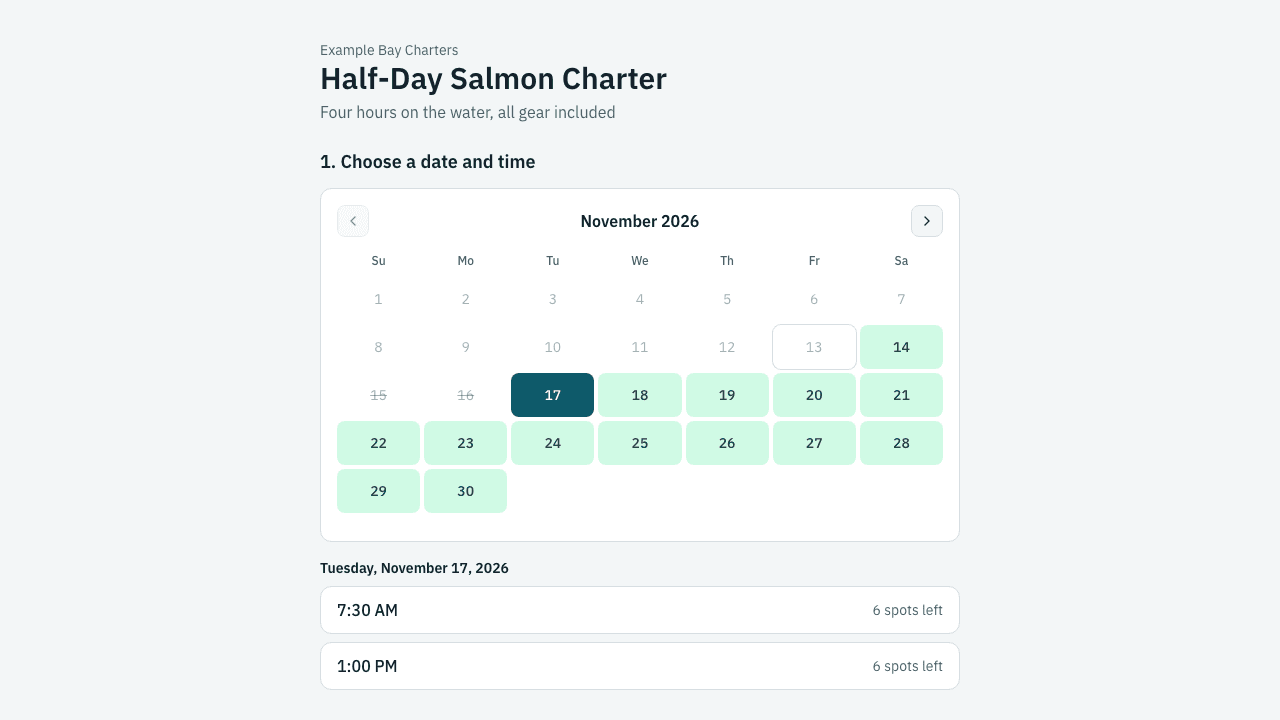
The guest booking page: open dates on a calendar, then times with the spots left.

Payments settings: when deposit balances are charged and the tip choices guests see at checkout.

The reports overview: affiliate balances, open disputes and sales by booking source for the dates you pick.