
Online booking and checkout on your own subdomain
OutwardOps gives every trip a booking page where guests pick a date and time, enter their party by customer type, answer your questions and pay by card. It can run on a subdomain of your own website. It is free for operators; guests pay a 6% convenience fee on online bookings.
How does a guest book a trip?
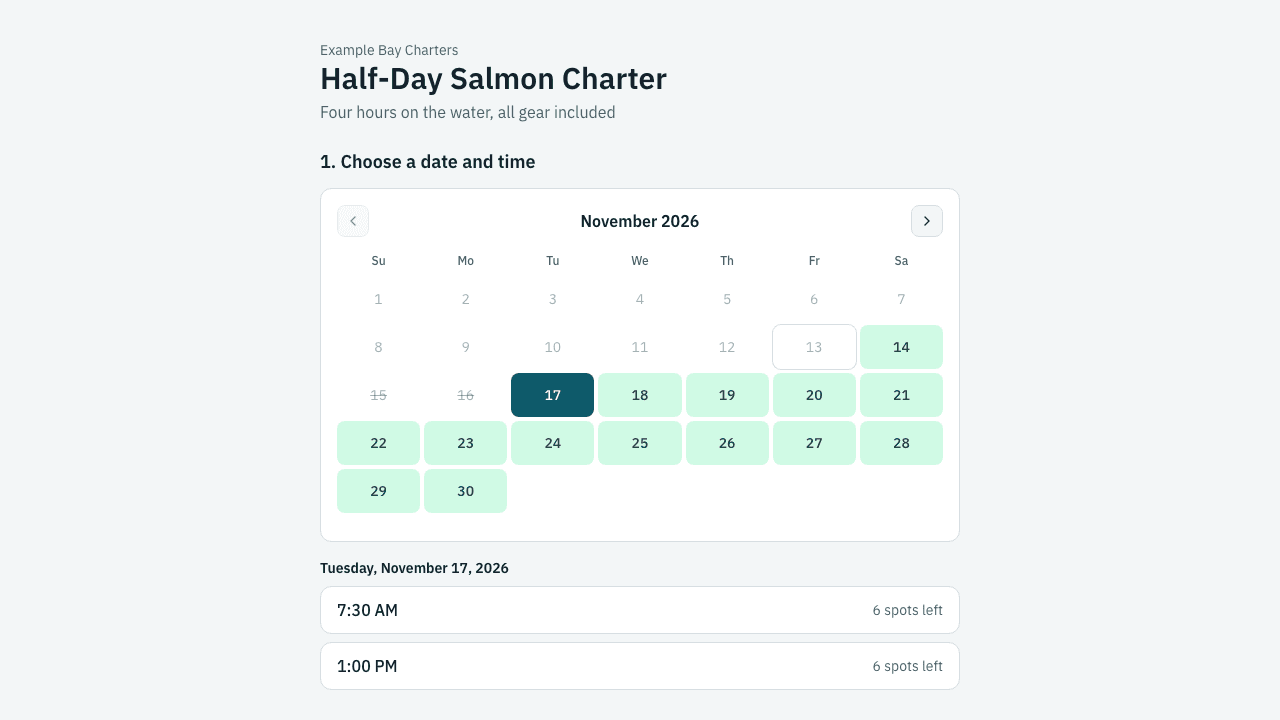
The guest opens the trip's booking page and sees a calendar that highlights only the dates with open departures. Choosing a date lists the start times, each with the seats left. The guest then enters how many people of each customer type are coming, adds any add-ons, answers your custom questions and gives contact details. Guests do not need an account.
Seats are held for 15 minutes while the guest checks out, and the hold is extended while a payment is in progress. After payment the guest lands on a confirmation page and gets a confirmation email with a view-only booking link and a QR code for check-in. To change or cancel, a guest contacts you and your staff make the change from the booking.
Can checkout run on my own website's address?
Yes. A company can have a booking page on a subdomain of its own website, for example book.yourcompany.com, so guests stay on your brand. OutwardOps support sets the subdomain up with you. Without one, guests book on an OutwardOps-hosted page and pay by card.
Each trip also has a server-rendered page with schema.org markup, a sitemap and your booking address as the canonical URL. Embeds for your existing website are covered on their own page.
What does the guest pay?
Trip prices are shown without tax. At checkout the guest sees tax and the 6% convenience fee as separate lines. The fee is calculated on the pre-tax subtotal, not on tax or tips. Tips are optional and carry no fee. If you take a deposit on the trip, the guest sees what is due now and what is paid later.
Bookings your staff enter, and bookings made by affiliates, carry no guest fee.
What can I control on the booking page?
- Booking flows: choose which trips appear together on a page and in what order, and link to each flow with a short code.
- Seats left: show the count on every time, or only when a few seats remain. Group a day's times into one row, or list them one per row.
- Limits per trip: minimum and maximum party size, a cutoff in hours before the start, and a call-to-book message, set separately for empty, partly booked and full departures.
- Visibility: hide a trip, make it bookable only by link, or keep it staff-only so it appears on the staff booking form but not online.
- Questions and extras: custom fields per booking or per guest, with conditional logic, required or optional, plus an add-on library and priced options.
- Measurement: the page pushes Google Analytics 4 events to the data layer and records UTM parameters and click ids on each booking.

Related
Frequently asked questions
Do guests need an account to book?
No. Guests check out with an email address and phone number. They get a confirmation email with a view-only link to their booking.
How long are seats held while a guest pays?
Seats are held for 15 minutes at checkout, and the hold is extended while a payment is in progress, so a slow card form does not lose the seats.
Can guests cancel or change a booking themselves?
Not today. Guests contact you, and your staff move, change or cancel the booking and decide on any refund.
Does the booking page work on a phone?
Yes. The page is built mobile-first.